Roles
Who: an Admin. When: deciding what each person can see and do.
A role is a set of permissions. Every user has one role.
| Role | Meant for | Typical access |
|---|---|---|
| Cashier | Team members at the register | Sell, park sales, take payments. By default, also take returns, move cash in and out, open and close the register, give discounts, see sales reports for their own sales and use Reset data. No store setup |
| Manager | Shift leads | Everything a cashier can do, plus voids, full restaurant refunds, sold-out items, adding cashiers and payment and tax reports |
| Admin | Store setup and back office | Everything, including users, registers, taxes and card readers |
If someone says a page or button is missing, their role doesn't include it.
See what a role can do
Go to Setup › Users and open the Roles tab.
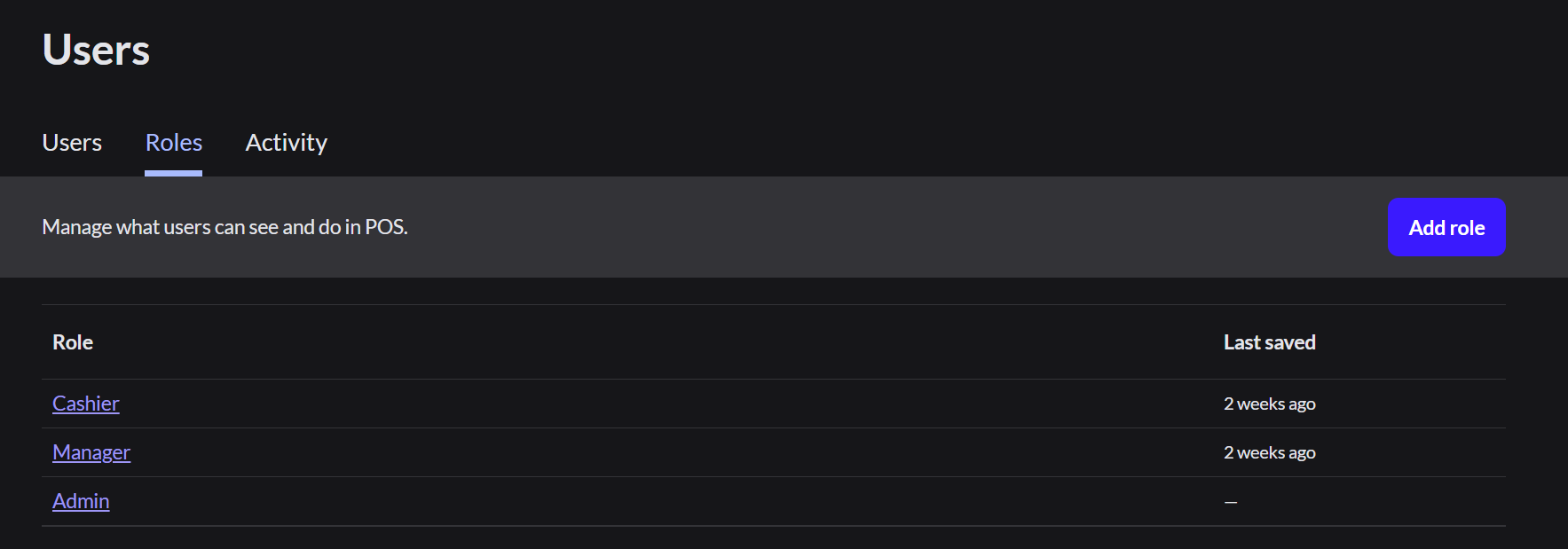
Click a role to open it.
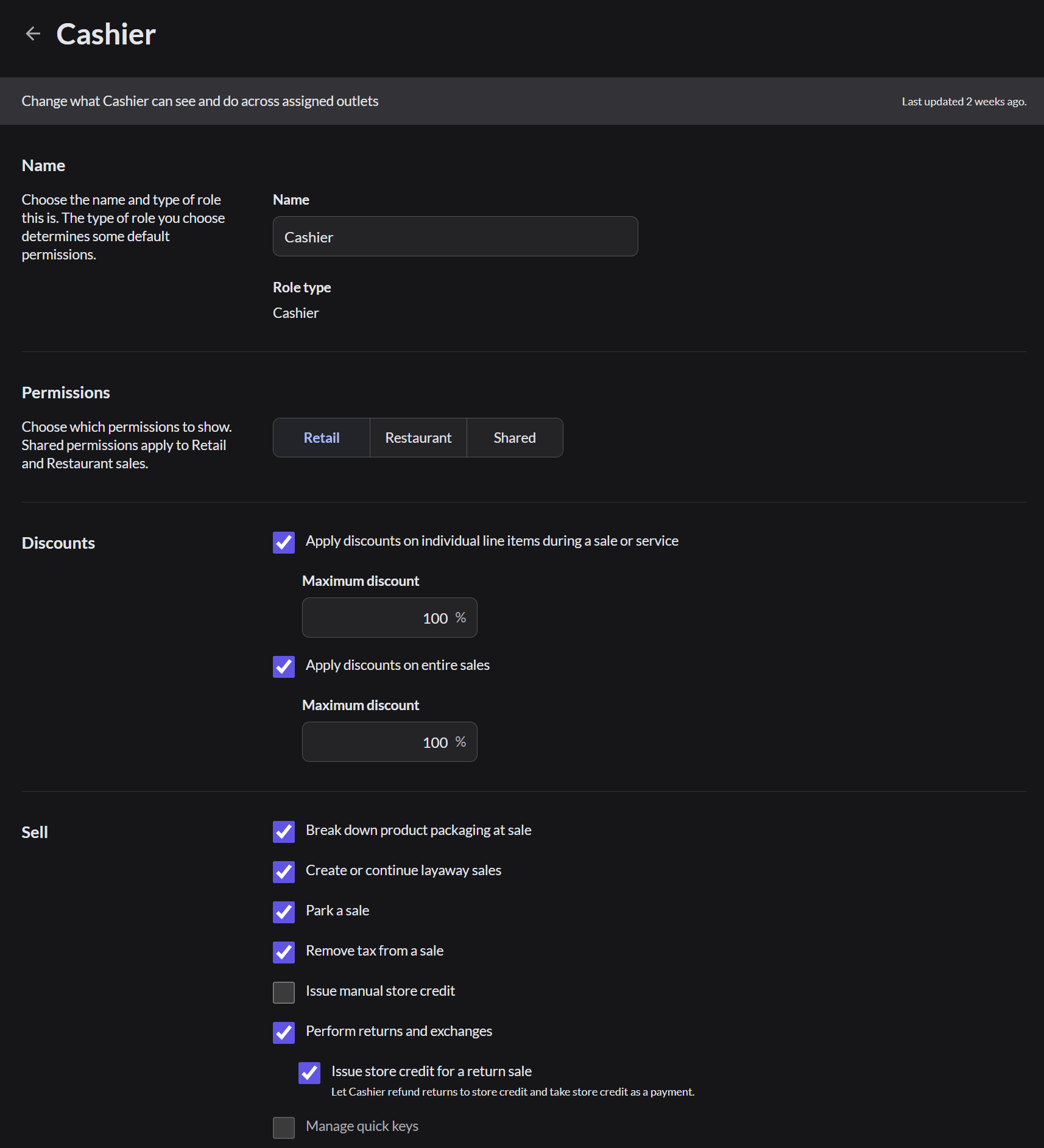
- Permissions are grouped, such as Discounts and Sell.
- The Retail, Restaurant and Shared tabs show the permissions for each way of selling.
- Some permissions have a limit, such as the Maximum discount a cashier may give.
Change a role
- Select or clear the permissions.
- Click Save.
The change applies right away to everyone with that role, even if they're signed in.
Limit what cashiers can do
By default, the Cashier role can open and close the register, move cash in and out, take returns and exchanges, and give discounts of up to 100%. If only managers should do these, change the Cashier role.
- Go to Setup › Users, open the Roles tab, and click Cashier.
- Choose the Retail, Restaurant or Shared tab.
- Clear the permissions you want to take away, such as Open/close register, Perform cash movements or Perform returns and exchanges.
- To limit discounts, type a lower Maximum discount, such as 10.
- Click Save.
Add your own role
- Click Add role and give it a name.
- Choose the role type it starts from.
- Set its permissions.
For example, you could add a Senior cashier role that can give refunds but can't see reports.