Close the register
Who: cashier or manager. Cashiers can do this unless an Admin has turned it off. When: once, at the end of the day, after the last sale.
When cashiers change over during the day, they don't close the register. Instead, they switch user.Switch user and sign out
Quick version
Sell › Open / Close › type the counted cash › check Differences is 0.00 › Close register › confirm with Close register.
Before you begin
- Finish or retrieve every parked sale.
- In Restaurant mode, send or clear any unsent items. Unsent items on an order with no table or name are thrown away when you leave it.
- Settle any restaurant order that is partly paid. You can't close the register until it's paid in full or its last payment is voided.
- Count the cash in the drawer.
1. Open the close form
Go to Sell › Open / Close. Choose Enter cash total only. To count bill by bill, choose Count cash by denomination.
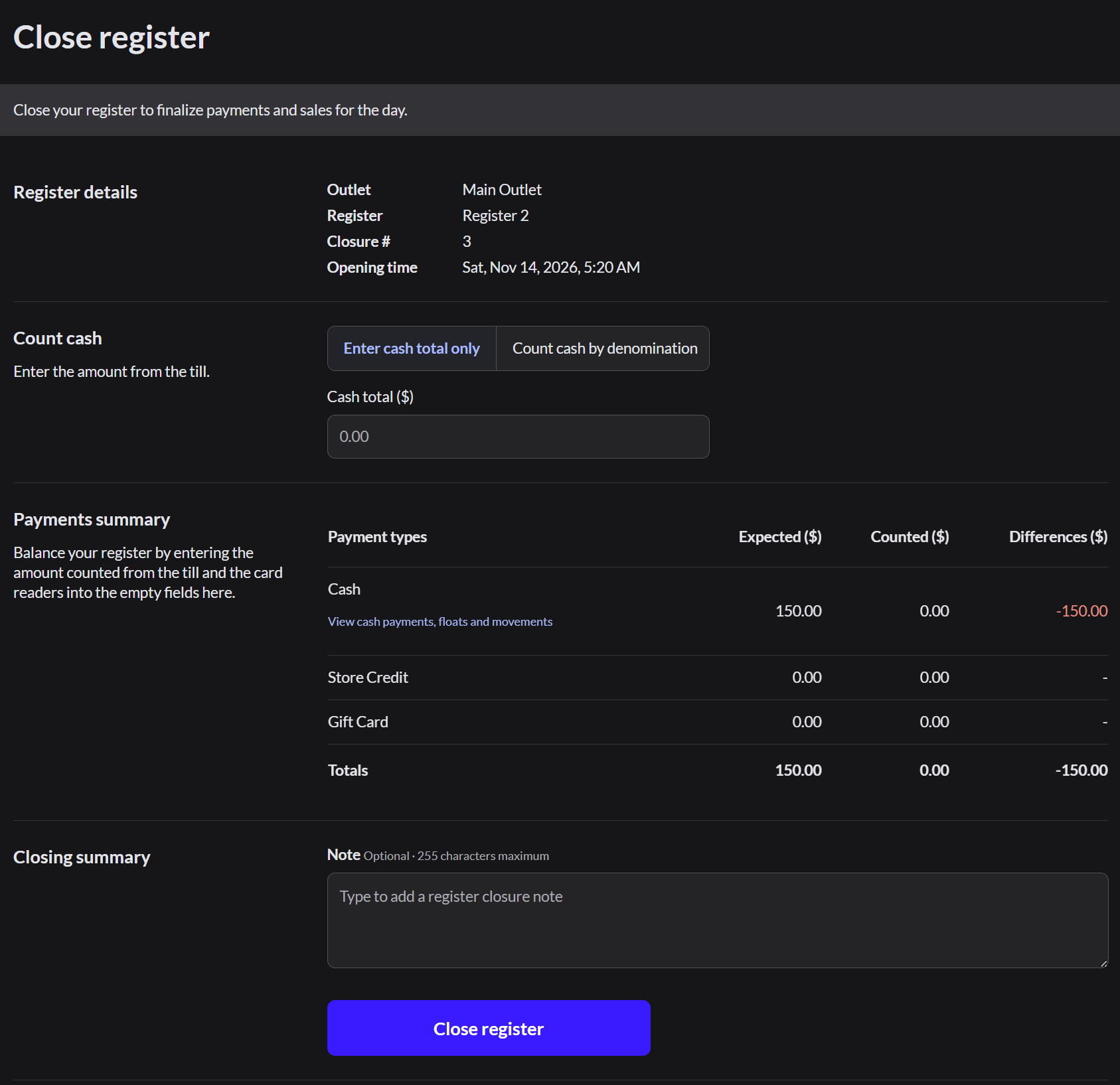
2. Enter the count
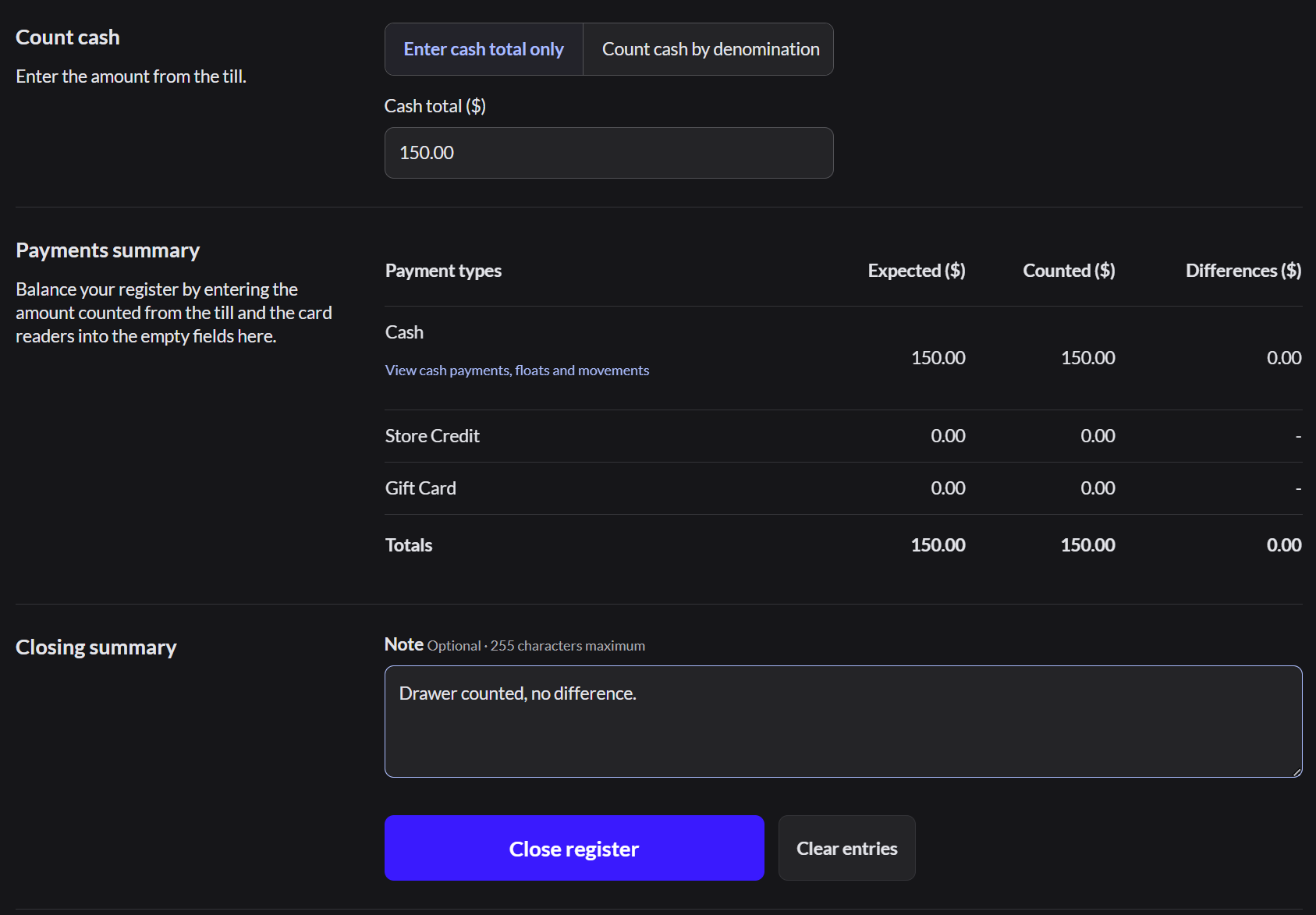
Type the counted cash. The Differences column should read 0.00. Add a note, then click Close register.
If Expected and Differences say Hidden until closed, type your count and close. The difference shows on the summary.
3. Confirm
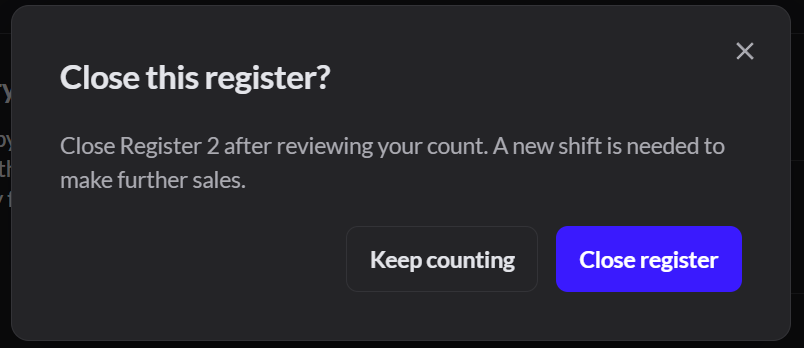
In Close this register?, click Close register. To go back, click Keep counting.
4. Review the summary
If you keep paper records, click Print summary. Then click Done.
If it doesn't work
- Differences isn't 0.00: recount. If it's still off, write the reason in the note before you close the register.
- Click "View cash payments, floats and movements" to see every cash line that makes up the expected amount.
- You still can't explain the difference: close the register with a note. Then tell the general manager the same day.
- "An order on this register has a partial payment": open the order from Sell › Orders and click Pay. Take the rest of the payment, or click Void last payment next to the newest payment. Then close the register.
- Open restaurant orders with no payment: they don't stop you from closing. The summary counts them under Open orders.