Void a sale
Who: manager or Admin. When: a sale was rung up by mistake, for example twice, and no money needs to go back.
A void can't be undone and does not give the customer money back. If the customer needs money back: How to refund a sale
Quick version
Sales history › open the receipt › Void › Void the sale › type a reason › Void sale.
1. Open the receipt and click Void
In Sell › Sales history, open the receipt and click Void at the bottom right.
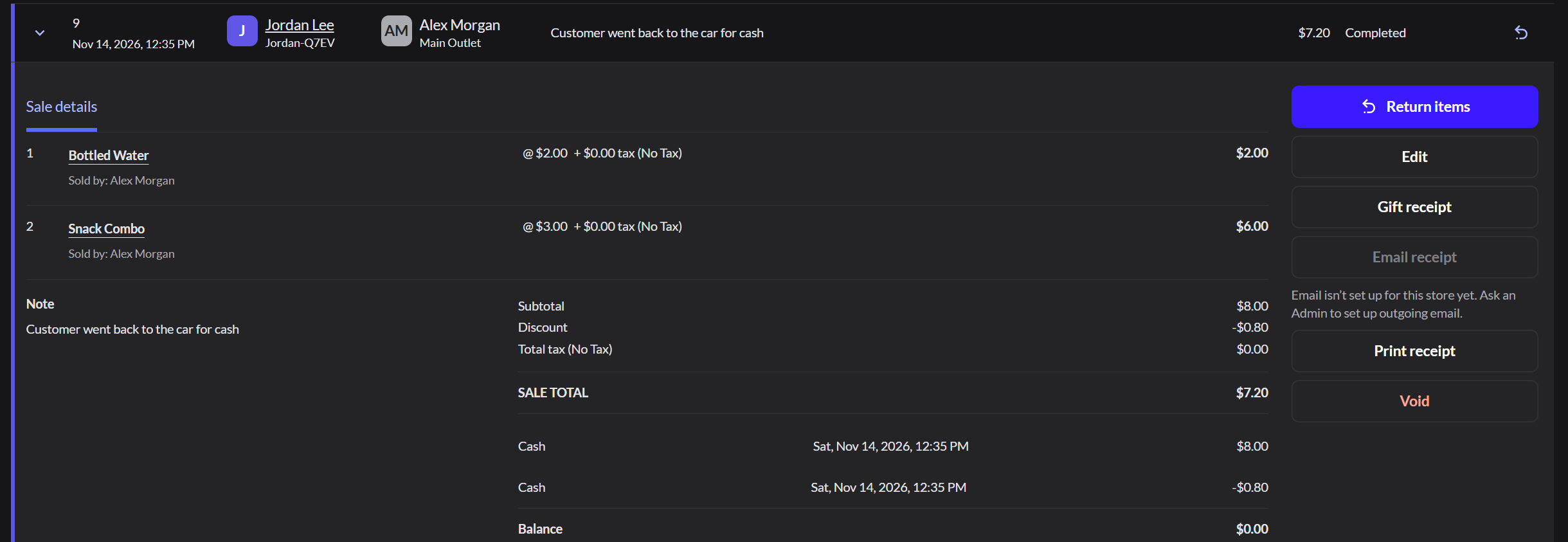
2. Read the warning
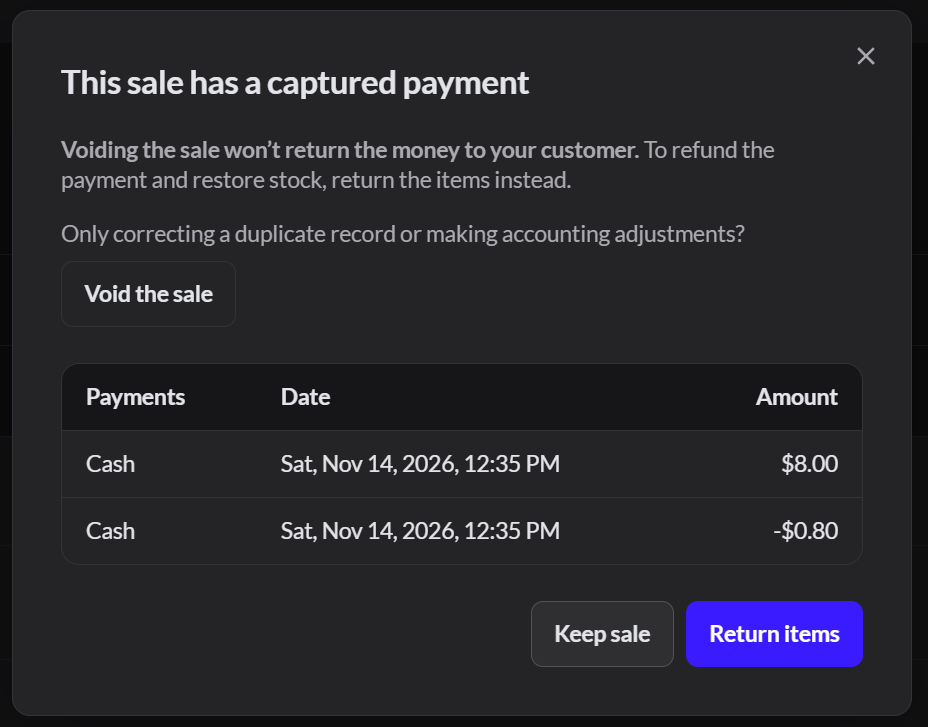
The app reminds you that voiding doesn't return the money. If the customer needs a refund, click Return items. Otherwise, click Void the sale.
3. Give a reason
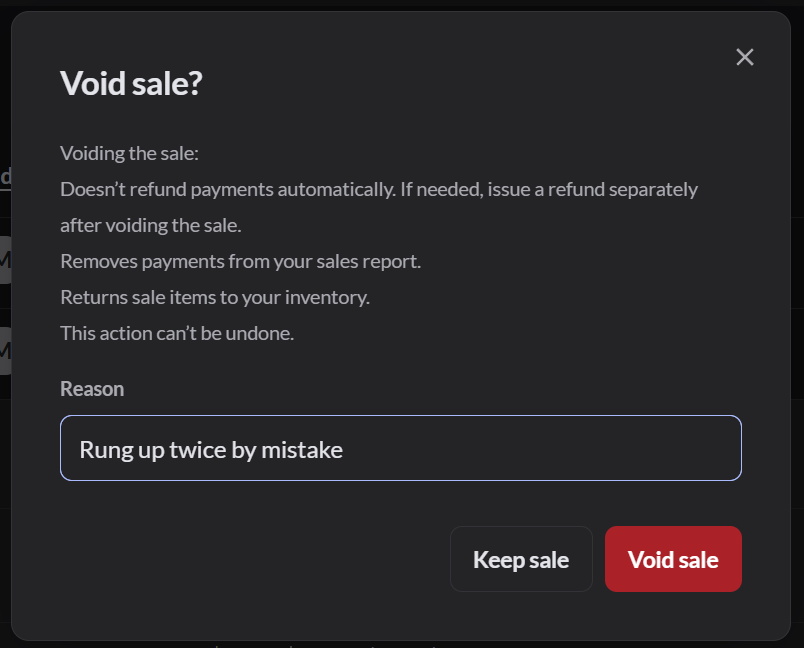
Type the reason, then click Void sale.
4. Check it
The receipt now shows Voided. Its items go back into stock. The sale and its payments no longer count in the reports, and expected cash in the drawer drops by any cash that was paid.
