Apply a discount
Who: cashier or manager. Cashiers can do this unless an Admin has turned it off. When: a manager has approved money off a sale.
This page is for Retail mode. In Restaurant mode: How to apply a restaurant discount
Quick version
Build the sale › Discount › choose % or $ › type the amount › Add.
1. Open the discount box
Add the products first. Then click Discount above the totals.
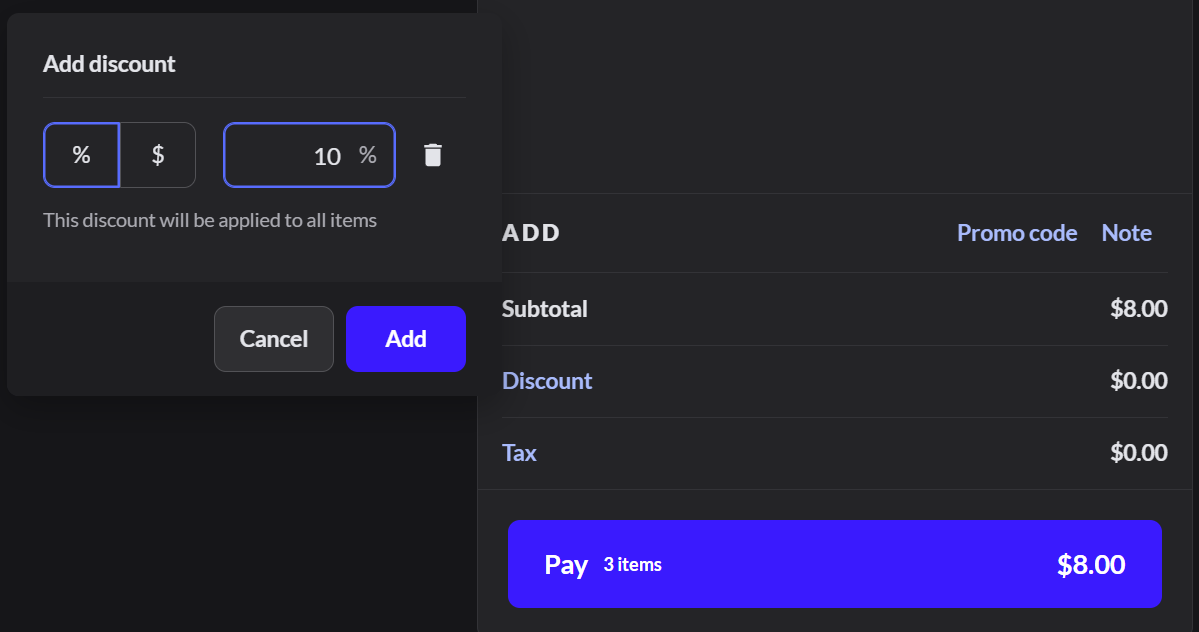
2. Enter the discount
Choose % or $, type the amount, and click Add. It applies to every item in the sale.
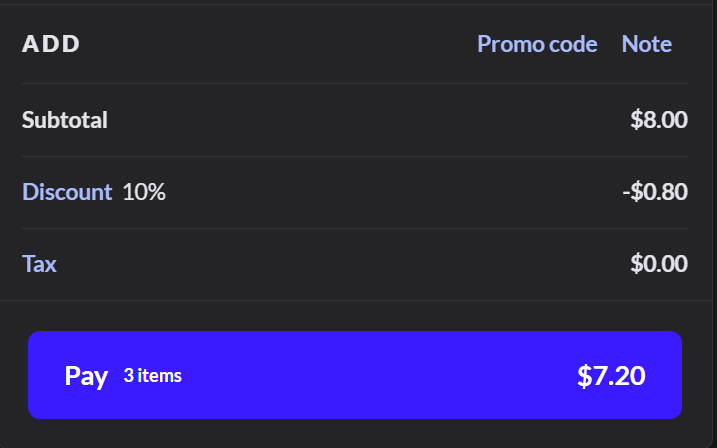
3. Check the new total
A Discount line shows under the subtotal, and Pay shows the new total.
If it doesn't work
- Discount shows a padlock: the sale is empty, or your role can't give discounts.
- The discount is too big: roles can have a maximum discount. Ask a manager. More about roles
- You need to remove the discount: click the Discount line and delete it.