Modifier groups
Who: manager or Admin. When: an item has extras the server should be asked about, such as burger toppings.
A modifier group is a set of priced extras. When a server taps an item linked to the group, the order screen asks which extras to add.
Quick version
Catalog › Modifier groups › Create modifier group › name › Add modifier › Add items › Save.
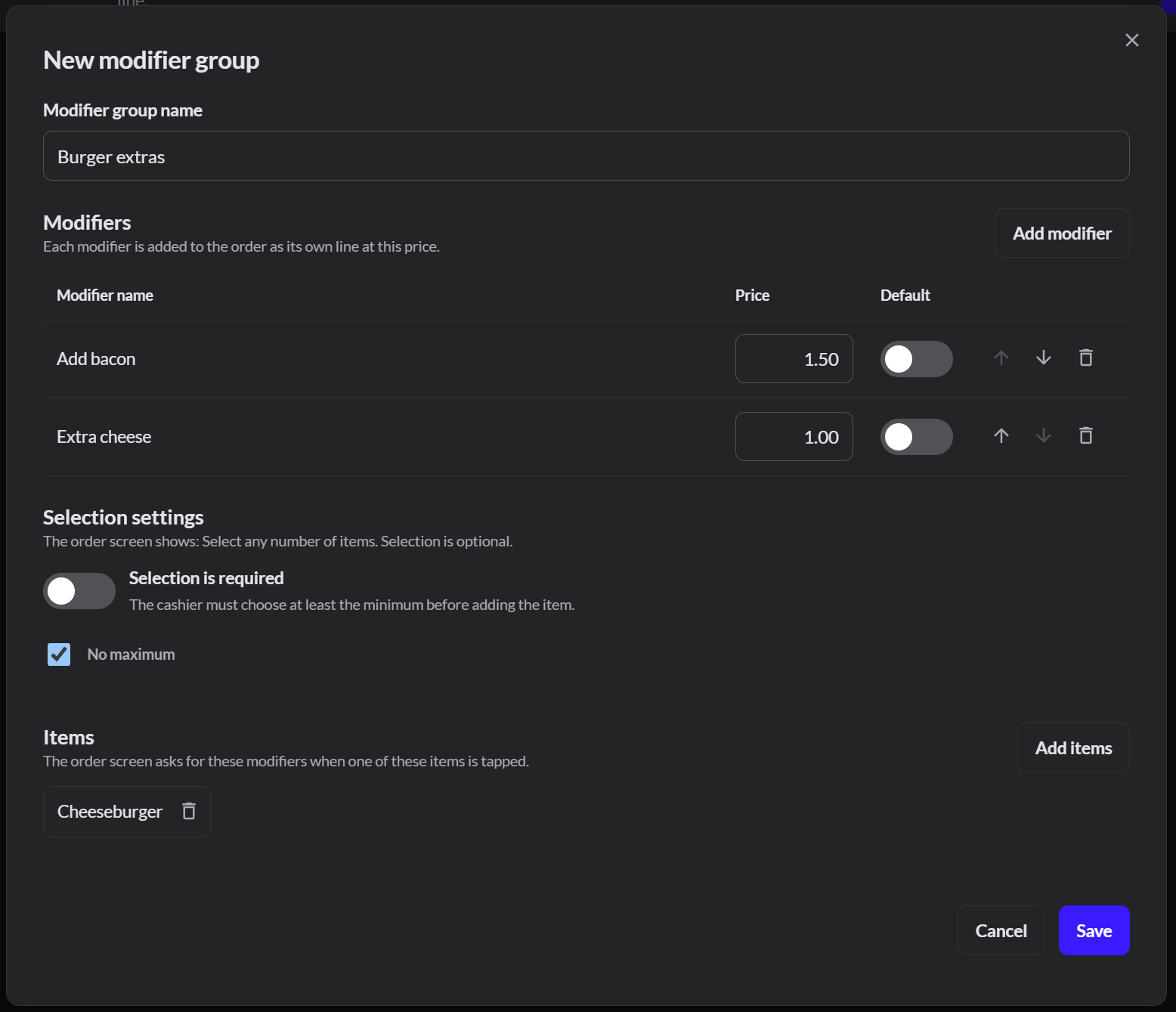
1. Name the group
Go to Catalog › Modifier groups and click Create modifier group. Type a name, such as Burger extras.
2. Add the extras
Click Add modifier. Select existing products, or click New item to create one with a name and price, such as Add bacon at $1.50. Click Add items.
3. Set the rules
- Selection is required: turn this on if the server must pick something, such as a cooking temperature.
- Maximum: how many extras can be picked. Select No maximum for toppings.
4. Link it to items
Under Items, click Add items and select the products that should ask for these extras, such as Cheeseburger. Click Save.