Add food and drink
Who: manager or Admin. When: before the restaurant opens, and whenever the menu changes.
To take an order, Restaurant mode needs food and drink products and a menu. For table service, it also needs a floor plan. For a kitchen screen or kitchen tickets, it needs a kitchen station. Set them up in this order, then choose the menu in the POS configuration.Build a menuFloor plans and tablesKitchen stationsPOS configurations
Before you start, the register has to sell Restaurant. How to let a register sell Restaurant
Quick version
Switch to Restaurant › Catalog › Products › Add product › name and price › Save.
1. Open Products in Restaurant mode
Click Restaurant at the top, then Catalog › Products, then Add product.
2. Add the name and price
The form is the same as for a retail product. Type the Name. Scroll to Price, type the Retail price, and click Save. More about the full product form
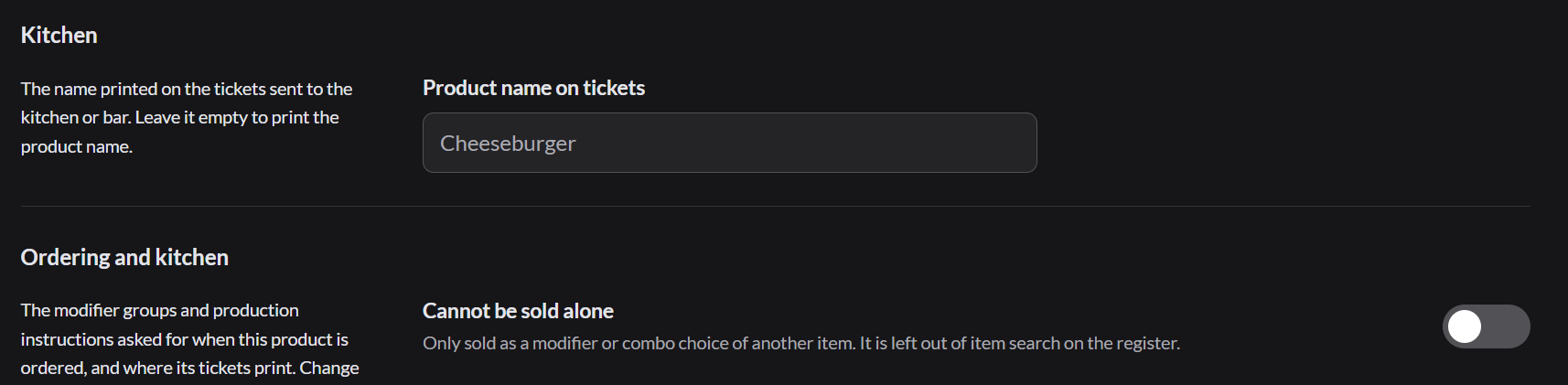
3. Set the name on kitchen tickets
Restaurant products have a Kitchen section. Product name on tickets is what the kitchen sees. Leave it as it is, or shorten it, for example Chzbgr.
Toppings and extras, such as bacon or extra cheese, are also products. Create them inside a modifier group.Modifier groups