Restaurant reports
Who: manager or Admin. Cashiers see sales reports for their own sales only. When: after service.
In Restaurant mode, Reporting has extra reports. Pick the date range and register at the top of each.
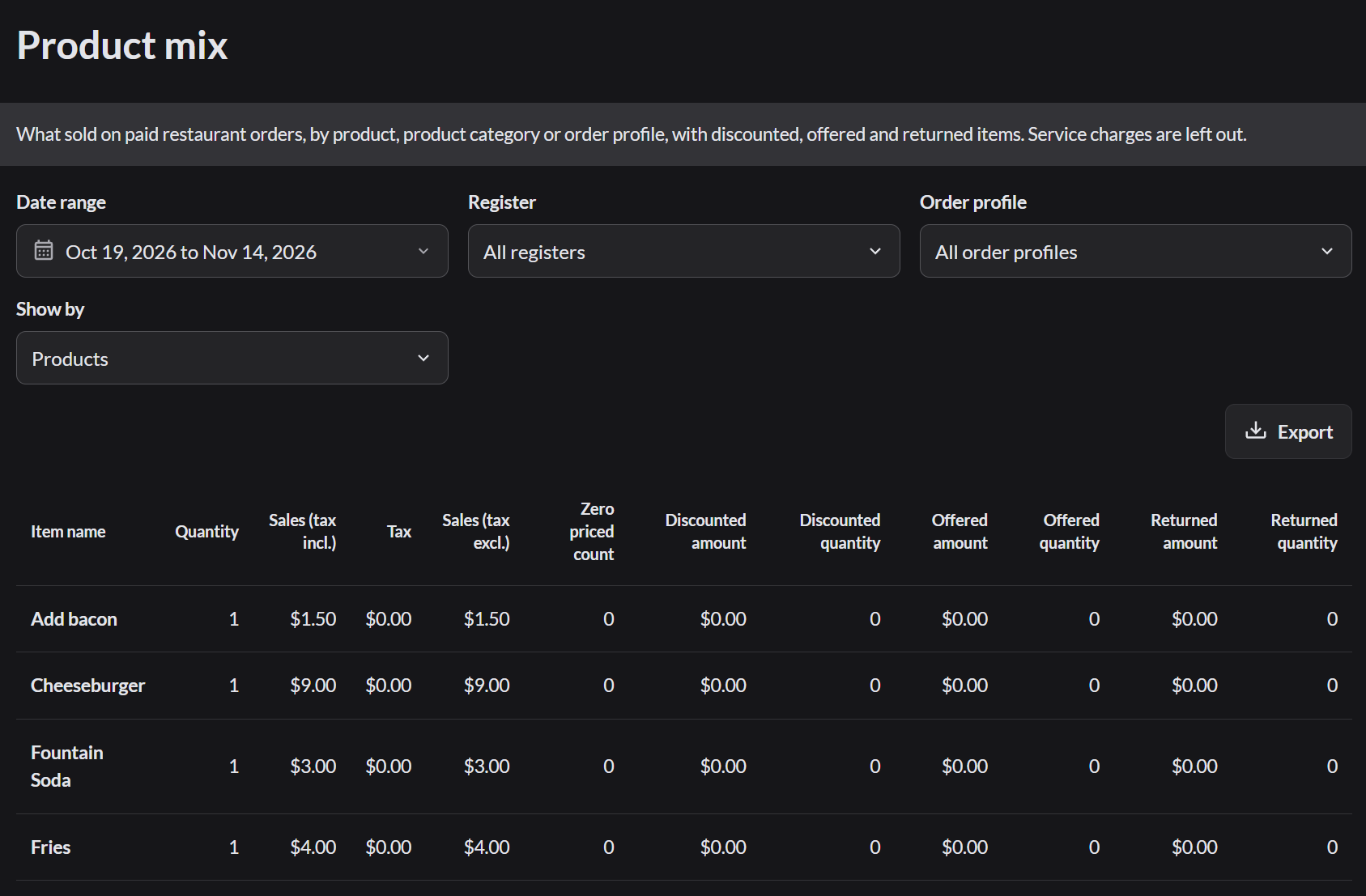
Product mix
Reporting › Product mix shows what sold: quantity, sales, discounts and returns for each item and extra.
Other restaurant reports
| Report | Shows |
|---|---|
| Sales by register | Money taken per register |
| Items | Sales per item |
| Time of day and Hourly sales | Your busiest times |
| Covers and order profiles | Guests served and average spend |
| KDS statistics | How fast the kitchen cleared tickets |
| Cancellations and corrections | Voids and refunds, with reasons |
| Discounts breakdown | Discounts given |
| Payments | Money taken by payment type |
| Labor report | Team member hours |
| Stock, Inventory reports and Adjustment reports | Stock levels and stock changes |
| Waste | Food and drink thrown away, by register |
The shift totals, including tips owed to team members, are in Sell › Reports. How to read the reports