Refund a restaurant order
Who: manager or Admin. Cashiers can refund single items unless an Admin has turned it off. When: a paid restaurant order needs to be refunded.
Quick version
Sales history › open the receipt › Refund order › Refund › pick a reason › Refund receipt.
1. Open the receipt
Go to Sell › Sales history and open the receipt.
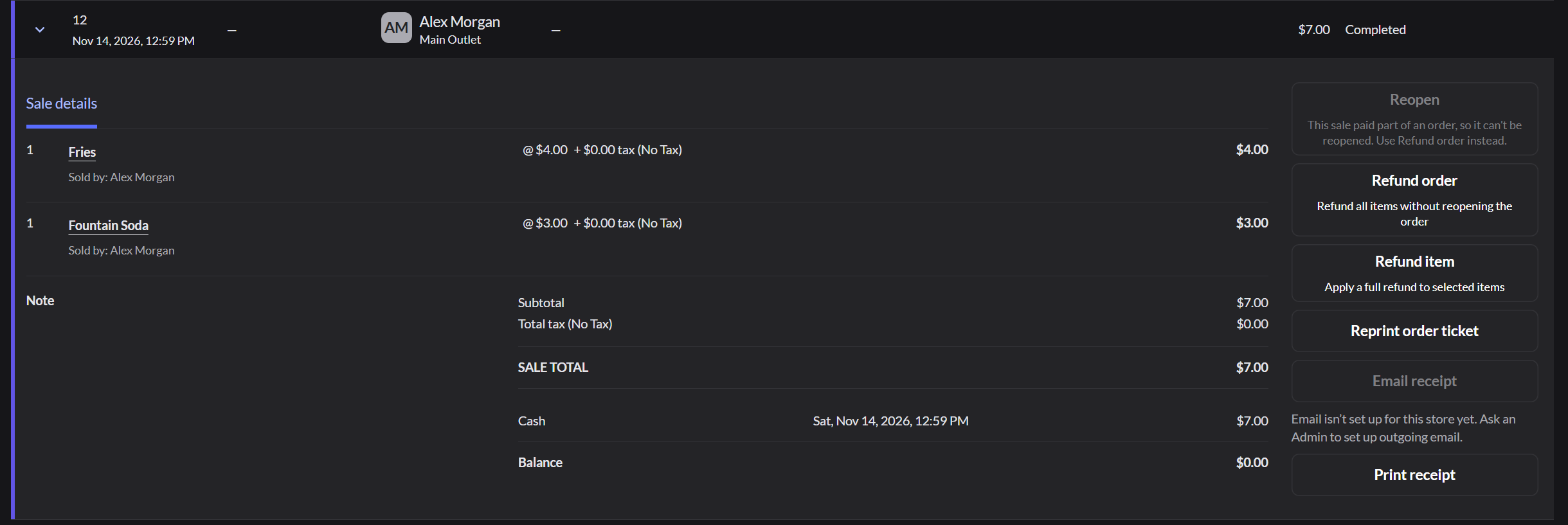
- Refund order: everything on the receipt.
- Refund item: only the items you pick.
2. Confirm
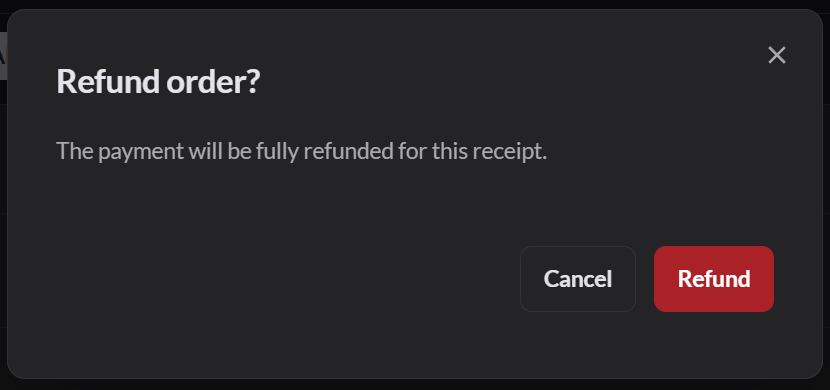
3. Pick a reason
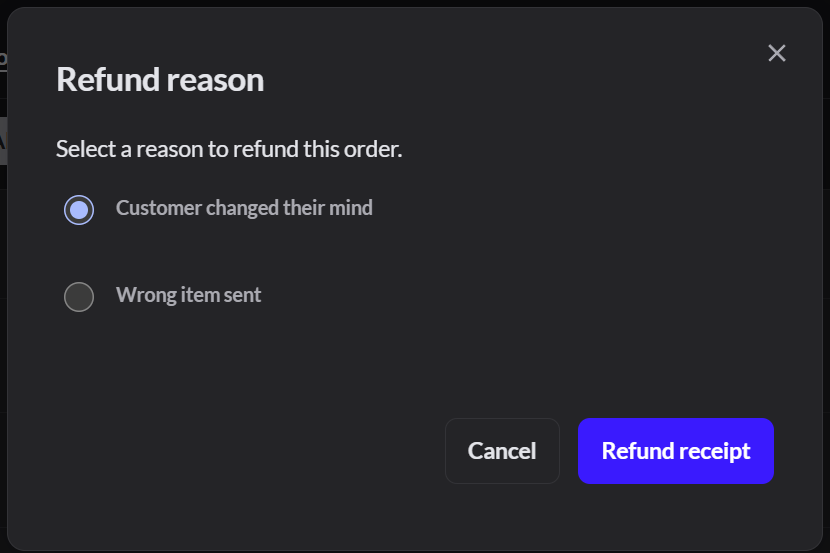
Click Refund receipt.
If the card refund fails, the app offers Void without refunding or Reopen. Both carry on without giving the money back. Click Cancel and get a manager.
4. Check it
A new receipt shows Return, completed with the refunded amount. Any tip on the order is also refunded.

A split check has one receipt per payment. Refund each receipt.
Refund and reopen an order
Use this when an order was paid by mistake, or the guest wants to add to it after paying. It refunds the payment and opens the same order again, unpaid.
- In Sell › Sales history, open the paid order and click Reopen.
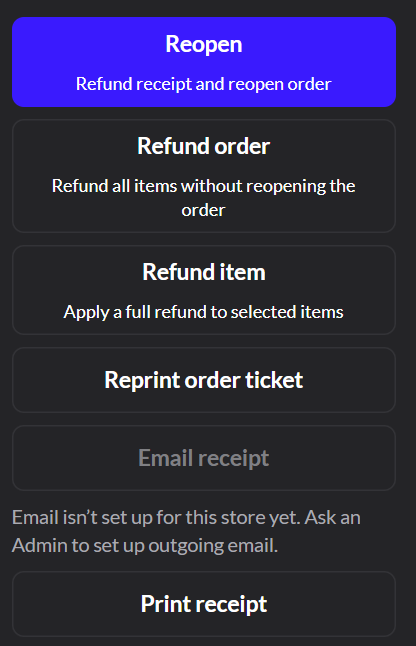
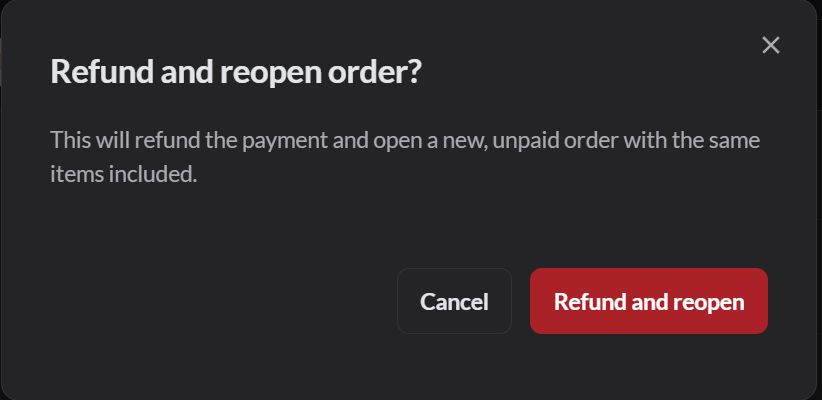
- Click Refund and reopen.
- If asked, pick a reason and click Refund receipt.
The payment is refunded in full, including tips. Card payments go back to the card. The order opens on Sell with the same items, table and customer. Take payment again when the guest is ready.
Reopen needs the Order reopen via refund permission. Managers have it by default.
Refund items on an open order
Use this to give money back for an item without a receipt, such as a drink that came back.
- On the order, click … next to an item that hasn't been sent, then Refund. The item shows as a minus amount.
- Click Refund at the bottom (it shows the amount), then Refund to confirm. The refund is paid in cash.
A manager can refund every item on the order with Actions › Refund all items. If items were sent to the kitchen, pick a reason and click Refund order.
An order can't mix refunded items and regular items. To refund a card payment, refund the sale from Sales history instead.